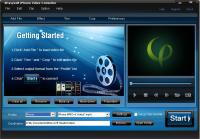
4Easysoft iPhone Video Converter Publisher Review:
4Easysoft iPhone Video Converter is a superior video to iPhone converter to convert video to iPhone and put movie on iPhone. It can convert video to iPhone such as MPEG/VOB/MP4/M4V/QuickTime MOV, etc and convert AVI to MP3/AAC/M4A for iPhone.
4Easysoft iPhone Video Converter is a superior video to iPhone converter to convert video to iPhone and put movie on iPhone. This iPhone Movie Converter provides an easy and completed way to convert video to iPhone such as MPEG, VOB, MP4, M4V, QuickTime MOV, etc for iPhone and convert AVI to MP3, AAC, M4A for iPhone.
To create iPhone video in your own way, this best iPhone Video Converter also provides you with rich video editing functions such as video cropping, movie effecting, movie trimming, image/text watermarking and video joining.
Key functions:
1.Process several files from source file(s) over one click
Set several different output formats from source file(s) and convert them to your players compatible formats.
2.Compatible with all iPhone/iPod Models
4Easysoft iPhone Video Converter can be used for all the iPhone/iPod models: iPod, iPod Touch, iPod Touch 2, iPod Nano, iPod Nano 4, iPod Classic, iPhone, iPhone 3G, Apple TV.
3.Support preview and capture images
Take snapshot to capture the image of highlight while previewing movies. It can be saved in default folder automatically.
4.Edit output video as you like
Video editing functions like video cropping, movie effecting (checking Deinterlacing helps you to convert interlaced video to the progressive video), movie trimming, image/text watermarking and output settings (including resolution, bit rate, frame rate and sound channel, etc) are available. You're in control of your favorite clips and selecting target audio track, subtitle for output video.
5.Friendly user interface
An intuitively designed user interface brings you more convenience and enjoyment.
6.Fast speed and high video quality
Whether you are an experienced user or a beginner, 4Easysoft iPhone Video Converter will convert video to iPhone and put movie to iPhone/ iPod in a breeze! Whats new in version 4.0.28: 1.Get different output formats from source file and convert one by one successively. 2.Add text or image watermark to any video when you want. 3.Select target audio track, subtitle for output video. Requirements: 800MHz Intel or AMD CPU, or above; 512MB RAM or more Operating system: Win2000,Win7 x32,Win7 x64,WinOther,WinVista,WinVista x64,WinXP,Other Release notes: Major Update
Riptoo Audio Converter is a professional powerful all-in-one audio converting solution and MP4 to MP4 converter.
Price: $19.95, Rating: 10, Downloads: 174 Download
Ripping Blu-ray discs and DVD movies to iPhone-supported video formats;Converting Blu-ray discs and DVD movies to audio formats like M4A, WAV and MP3;Ripping Blu-ray discs and DVD movies to iPod videos;Converting Blu-ray discs and DVD mo
Price: $35.95, Rating: 7, Downloads: 159 Download
XFreesoft DVD Creator for Mac is a super easy DVD creator for Mac users to burn video to DVD. All DVD editing and conversion processes can be done with the most excellent quality and the fastest speed by using XFreesoft DVD Creator for Mac.
Price: $19.95, Rating: 6, Downloads: 110 Download
Power DVD Rip Studio is a powerful DVD copying and ripping software which can rips DVD to AVI, DVD to MPEG, DVD to WMV, DVD to WAV, and DVD to SVCD formats...
Price: $29.95, Rating: 9, Downloads: 102 Download
WinX Bluray DVD iPhone Ripper helps you rip/convert Blu-ray DVD to iPhone iPod MP4 H.264 video for smooth playback on your iPhone as well as iPad, iPod, iPod touch and Apple TV.
Price: $19.95, Rating: 6, Downloads: 100 Download
User Rating
Rating:2.2 out of
5 Based on13 ratings.
13 user reviews.

 4Easysoft iPhone Video Converter 4.0.28 details